





We see agents as the intersection of an LLM, storage, and orchestration. Pixeltable unifies this interface into a single declarative framework, making it the de-facto choice for engineers to build custom agentic applications with build-your-own functionality for memory, tool-calling, and more.
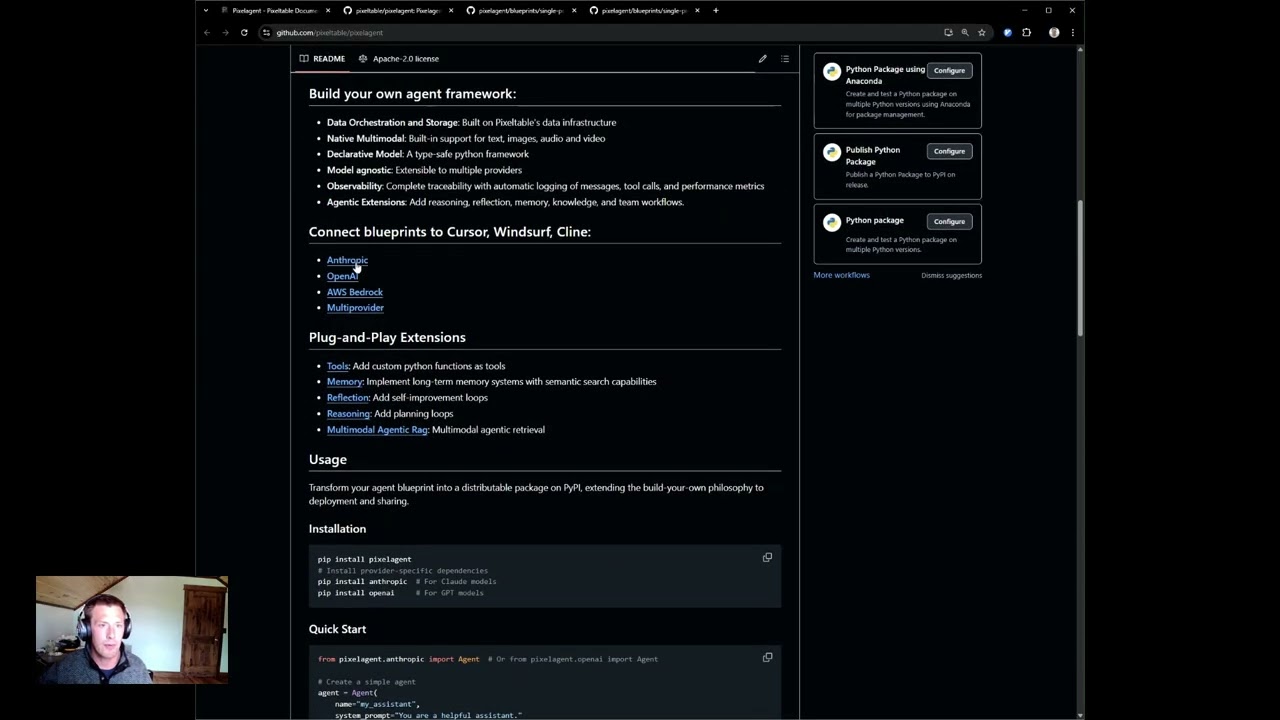
- Data Orchestration and Storage: Built on Pixeltable's data infrastructure
- Native Multimodal: Built-in support for text, images, audio and video
- Declarative Model: A type-safe python framework
- Model agnostic: Extensible to multiple providers
- Observability: Complete traceability with automatic logging of messages, tool calls, and performance metrics
- Agentic Extensions: Add reasoning, reflection, memory, knowledge, and team workflows.
Install the package and point your editor at it:
pip install pixelagentAll four providers ship in the package, so an agent is the Quick Start above:
from pixelagent.openai import Agent   # or .anthropic, .bedrock, .gemini

agent = Agent(name="my_agent", system_prompt="You are a helpful assistant.")
print(agent.chat("Hello"))- Tools: Add custom python functions as tools
- Memory: Implement long-term memory systems with semantic search capabilities
- Reflection: Add self-improvement loops
- Reasoning: Add planning loops
- Multimodal Agentic Rag: Multimodal agentic retrieval
Transform your agent blueprint into a distributable package on PyPI, extending the build-your-own philosophy to deployment and sharing.
pip install pixelagent
# Install provider-specific dependencies
pip install anthropic  # For Claude models
pip install openai # For GPT modelsfrom pixelagent.anthropic import Agent # Or from pixelagent.openai import Agent
# Create a simple agent
agent = Agent(
name="my_assistant",
system_prompt="You are a helpful assistant."
)
# Chat with your agent
response = agent.chat("Hello, who are you?")
print(response)import pixeltable as pxt
from pixelagent.anthropic import Agent
import yfinance as yf
# Define a tool as a UDF
# In a module, e.g. tools.py -- pixeltable rejects a @pxt.udf defined in a
# script's global namespace, because it must be importable by name.
@pxt.udf
def stock_price(ticker: str) -> dict:
"""Get stock information for a ticker symbol"""
stock = yf.Ticker(ticker)
return stock.info
# Create agent with tool
agent = Agent(
name="financial_assistant",
system_prompt="You are a financial analyst assistant.",
tools=pxt.tools(stock_price)
)
# Use tool calling
result = agent.tool_call("What's the current price of NVDA?")
print(result)import pixeltable as pxt
# Agent memory is automatically persisted in tables
memory = pxt.get_table("my_assistant.memory")
conversations = memory.collect()
# Access tool call history
tools_log = pxt.get_table("financial_assistant.tools")
tool_history = tools_log.collect()
# cusomatizable memory database
conversational_agent = Agent(
name="conversation_agent",
system_prompt="Focus on remebering the conversation",
n_latest_messages=14
)# ReAct pattern for step-by-step reasoning and planning
import re
from datetime import datetime
import pixeltable as pxt
# Tools live in a module, not beside the agent: pixeltable needs a UDF to be
# importable by name so a stored computed column can find it again.
from react_tools import stock_info
from pixelagent.openai import Agent
REACT_PROMPT = """
Today is {date}
IMPORTANT: You have {max_steps} maximum steps. You are on step {step}.
1. THOUGHT: Think about what information you need to answer the question.
2. ACTION: Either use a tool OR write "FINAL" if you are ready to answer.
Available tools:
{tools}
THOUGHT: [your reasoning]
ACTION: [tool_name] OR simply write "FINAL"
"""
def extract_section(text, section_name):
pattern = rf'{section_name}:?\s*(.*?)(?=\n\s*(?:THOUGHT|ACTION):|$)'
match = re.search(pattern, text, re.DOTALL | re.IGNORECASE)
return match.group(1).strip() if match else ""
# One agent, built once. The system prompt is per-turn data, so a step that
# needs a different prompt overrides it on the call rather than rebuilding the
# agent -- which is what this example used to do, and which now raises
# SchemaConflict if the model or toolset differs.
agent = Agent(
name="financial_planner",
system_prompt="You are a financial analyst.",
tools=pxt.tools(stock_info),
reset=True,
)
def run_react_loop(question, max_steps=5):
for step in range(1, max_steps + 1):
response = agent.chat(
question,
system_prompt=REACT_PROMPT.format(
date=datetime.now().strftime("%Y-%m-%d"),
tools=["stock_info"],
step=step,
max_steps=max_steps,
),
)
action = extract_section(response, "ACTION")
if "FINAL" in action.upper():
break
if "stock_info" in action.lower():
agent.tool_call(question)
return agent.chat(question)
recommendation = run_react_loop("Create an investment recommendation for AAPL")Check out our tutorials for more examples including reflection loops, planning patterns, and multi-provider implementations.
0.2.0 runs on Pixeltable 0.7.6. On 0.7.3+ every 0.1.x agent was broken: a
text-only chat() raised expected non-None value, and the Anthropic agent
could not be constructed at all. Upgrade with pip install -U pixelagent.
Four things changed for callers:
- Python 3.11+ is required. Pixeltable dropped 3.10 in 0.7.2.
- Rebuilding an agent under the same name with a different
modelortoolsnow raisesSchemaConflict. Previously the new argument was silently discarded and the agent kept using the old model while reporting the new one. Passreset=Trueto rebuild, or use a different name. system_prompt,model_kwargs,max_tokensandn_latest_messagesare per-turn data, sochat()takes them as overrides:agent.chat(msg, system_prompt="..."). Varying a prompt no longer needs a second agent.chat()gainedconversation_id(default"default"), so one agent can hold several separate threads.
Agent(...), .chat(), .tool_call() and the <name>.memory / <name>.agent
tables are otherwise unchanged.
Two bugs are fixed that needed no API change: a failed turn no longer leaves an
unanswered message in memory, and chat() no longer re-queries the row it just
inserted.
- Basics: Check out Getting Started for a step-by-step introduction to core concepts
- Advanced Patterns: Explore Reflection and Planning for more complex agent architectures
- Specialized Directories: Browse our example directories for deeper implementations of specific techniques
Ready to start building? pip install pixelagent, work through the examples, and let Pixeltable handle the AI data infrastructure while you focus on your agent.