Alternative course path via game game-based curriculum design. Some proofing against and support for code synthesis.
Dr. Joshua A. McCoy, Associate Professor
Computer Science & Cinema and Digital Media Departments
Email: jamccoy at ucdavis dot edu
Office: 3033 Kemper Hall
Office Hours:
http://joshmccoy.com
https://faculty.engineering.ucdavis.edu/mccoy/
Email:
Office Hour:
Lecture Meeting Time: Mondays, Wednesdays, and Fridays at 4:10 to 5:00 PM in Storer 1322.
Discussion: Fridays at 5:10 to 6:00 PM in Storer 1322.
Holidays: Wednesday, November 11th (Veterans Day) and Friday, November 27th (Thanksgiving Day) (Academic Calendar)
Final Examination Period: Thursday, December 10th at 8:00 AM
This course is about the design and development of nuanced and highly contextual gameplay systems built on the foundation of traditional game engines. Technical game development has many facets, including graphics engines, sound engines, networking, and animation systems. Many of these facets are well-established and provided for in modern game engines. The focus of this course is on the remaining areas that are difficult to abstract and engineer into game engines as they depend on the genre or details of a specific game design.
Godot Engine version 4.7.2-stable. Download here.
| Course component | Weight | What it covers |
|---|---|---|
| Individual competency profile | 75% | Your verified levels across the skill tree |
| Final group game | 15% | The quality of the finished team artifact |
| Professional practice | 10% | Participation, preparation, peer review, communication, and responsible development practice |
| Grade | Point Threshold |
|---|---|
| A | 94 |
| A- | 90 |
| B+ | 87 |
| B | 84 |
| B- | 80 |
| C+ | 77 |
| C | 74 |
| C- | 70 |
| D+ | 67 |
| D | 64 |
| D- | 60 |
| F | 0 |
The purpose of this competency assessment is that your grade should reflect what you can do as a gameplay programmer and not whether you or your group submitted working code. A working submission is necessary, but it does not tell us everything we need to know. You must also show that you understand the work you claim and can apply the relevant ideas yourself.
Gameplay programming sits at the intersection of software engineering, design, and user experience. Everyone in the course needs a foundation in all three areas. After that, you can go deeper in the areas connected to your interests and your role on the final project.
This guide explains the system used across the three programming exercises, the final group project, and other approved course work. Individual assignment pages will give the relevant deadlines and identify which competencies are available.
The full skill tree maps the territory of gameplay programming. It has three domains:
| Domain | Place in the course | Example |
|---|---|---|
| Domain | One of the three broad areas required of everyone | Software Engineering |
| Competency | A skill that receives an official level in the gradebook | Debugging and Testing |
| Concept | A particular technique, concept, or specialization | Logging, design crit, or unit tests |
| Competency State | Meaning |
|---|---|
| Locked | I do not yet have enough evidence to verify this competency. |
| Unlocked | You can complete a guided application and explain its basic operation. |
| Developed | You can apply the competency to a changed problem and diagnose ordinary difficulties. |
| Mastered | You can apply the competency independently, evaluate the result, and justify your decisions. |
These levels describe different kinds of performance. Completing several guided tasks does not automatically produce Mastered work. To move up the tree, you need evidence that meets the higher standard. Later project work can replace weaker evidence from an earlier exercise.
| Competency | What it means in this course | Concepts |
|---|---|---|
| Engine Usage | Use Godot's architecture and services appropriately when implementing gameplay. | Game engines, libraries, tools, wizards |
| Design Patterns | Implement, adapt, and evaluate recurring software structures used in games. | Command, Publish-Subscribe, Observer, Factories |
| Debugging and Testing | Investigate failures systematically and establish repeatable evidence about behavior. | Logging, exposure, unit tests |
| Code Standards and Review | Write understandable code and give or use technically specific review feedback. | Style guide, review, analysis |
| Versioning and Team Development | Use Git and an explicit team process to coordinate reliable development. | Git, communication, Agile methodology |
| Competency | What it means in this course | Concepts |
|---|---|---|
| Game Systems | Implement rules, state, relationships, and processes that create gameplay. | Game systems |
| System Interrelations | Reason about dependencies and consequences when gameplay systems interact. | System interactions, genres |
| Game Design Reasoning | Use design theory to explain or revise an implementation. | Game design theory, MDA |
| Design Context | Place implementation decisions in historical, platform, genre, and human contexts. | Game history, design frames, platform studies and adaptation, human-centered interactions |
| Competency | What it means in this course | Concepts |
|---|---|---|
| Interaction Design | Create legible and responsive interactions through controls, timing, visual information, and feedback. | Juice, graphic design |
| Interaction Loops | Implement and reason about repeated cycles of player action and system response. | Core loops, loop interaction |
| Evaluation and Iteration | Observe play, identify an interaction problem, and revise the game in response. | Evaluation |
Technical Art and Procedural Content Generation can serve as specializations when an exercise or project provides substantial evidence. They can add depth to your profile, but they do not replace the common foundation.
A competency claim points the grader to a small and specific piece of your work. You are not expected to document everything you did. Choose the evidence that most clearly shows the competency and level you are claiming.
| Course activity | Maximum claims per student |
|---|---|
| Each programming exercise | 2 |
| Final group project | 4 |
| Other approved course work | 1 wildcard claim |
For the final project, your claims should normally include one from each major domain and one specialization.
Each claim must:
- name the competency and level
- link directly to the relevant commit, pull request, test, file, demonstration, or project record
- identify your contribution if the work was collaborative
- explain why the evidence meets the claimed level
- disclose material assistance, including generative AI, and state what you personally verified or changed.
Competency and level: Design Patterns at Developed
Evidence: Commit8f04c2and the replay test in the submitted repository (with a link to the appropriate GitHub permalink). Explanation: I adapted the supplied Command implementation by storing command objects in a replay queue. The same sequence can now run without generating new keyboard events. I also added a test that confirms execution order. The implementation still stores direct node references, so a recording cannot yet be replayed in a different scene instance.
Assistance: I used an AI assistant to suggest test cases. I selected the cases, wrote the fixture, and diagnosed the failed ordering test.
| Result | Meaning |
|---|---|
| Verified at the claimed level | The evidence meets the standard. |
| Verified at a lower level | The evidence demonstrates the competency, but not at the level claimed. |
| Revision needed | The work may qualify, but the explanation, link, or attribution is incomplete. |
| Unverified | The submitted evidence does not establish the competency. |
The grader looks at the cited evidence rather than the apparent amount of labor in the surrounding project. A large feature does not necessarily demonstrate a high level, and a small but well-chosen piece of work sometimes does.
The instructional team may request a short checkoff for a Mastered claim, an unclear contribution, a grade-boundary case, or a random sample. You may be asked to locate the relevant code, trace what it does, predict the effect of a change, diagnose a small problem, or explain a design decision.
If a checkoff does not support the claimed level, the claim returns to the highest level established by the remaining evidence. There is no separate penalty for the unsuccessful checkoff.
Each exercise identifies a limited set of eligible competencies. Exercises develop the common foundation and normally include:
- a required implementation;
- automated or instructor-provided tests;
- a transfer, debugging, or analysis task;
- peer code review; and
- no more than two individual competency claims.
Automated tests confirm that required behavior works. Passing the tests may support Unlocked status for an eligible technical competency. Developed and Mastered require stronger evidence, such as adapting the system, diagnosing a failure, evaluating the result, or defending a design decision.
Each exercise has one revision opportunity. A revision must respond to the grader's stated concern and point to new or corrected evidence. Submitting the same material again will not trigger another evaluation.
The final project is the main opportunity to demonstrate independent and integrated gameplay programming. The team receives one score for the finished game. Each student receives separate competency results.
The shared project score considers the game's:
- functional completeness and stability
- integration of gameplay systems and assets
- playability and legibility
- technical scope
- final build and presentation
Each student submits up to four claims. Useful evidence includes focused commits, pull requests, tests, debugging records, system specifications, integration work, playtest revisions, code review, and technical demonstrations.
A team role, task list, or self-reported set of responsibilities does not prove competence on its own. The evidence must show what you produced, changed, investigated, evaluated, or explained.
Project evidence will be collected during development as well as at the end of the quarter. The project schedule will give the exact milestones to keeps the final submission manageable and to illuminate your development process.
The syllabus and individual assignments state when generative AI and other forms of assistance are permitted. You remain responsible for the correctness and integration of everything you submit.
Disclose material assistance in the competency claim. Be prepared to distinguish suggested material from your own decisions, explain what you verified, and work with the cited code.
Disclosed AI use does not lower a competency result by itself. The question is whether your evidence demonstrates the level you claimed. Undisclosed assistance may become an academic-integrity matter.
Five competencies form the essential foundation of the course:
- Engine Usage
- Debugging and Testing
- Versioning and Team Development
- Game Systems
- Interaction Design
These are the gateway competencies. Higher grades also require work across all three domains and advanced depth in selected areas.
| Profile grade | Minimum competency profile |
|---|---|
| A | All twelve competencies Developed and at least four Mastered, including one in each major domain |
| A- | All five gateways and at least ten total competencies Developed and at least three Mastered across two domains |
| B+ | All five gateways and at least nine total competencies Developed and at least two Mastered |
| B | At least four gateways and eight total competencies Developed and all remaining competencies Unlocked; at least one Mastered |
| B- | At least three gateways and seven total competencies Developed and all three domains represented |
| C range | Every domain represented and the essential competencies substantially established at Unlocked or Developed |
| D or F | One or more domains lack sufficient individual evidence, or the technical foundation remains substantially unverified |
The competency profile supplies 75 percent of the course grade. The profile converts to the midpoint of its letter-grade range, then combines with the final group game and professional practice scores. The grading scale in the syllabus converts the result back to a final letter grade. A missing gateway competency may limit the final grade even when the numerical total would otherwise be higher.
The gradebook will show your highest verified level for each competency. Check it after each grading cycle. If a claim or level was recorded incorrectly, report the error during the correction period listed on the assignment. A request for reconsideration should identify the competency, the relevant criterion, and the evidence that meets it.
Plan for the tree while you work. Make focused commits, preserve debugging and playtesting records, and use exercise feedback to decide what you need to demonstrate in the final project.
| Week | Topic | Reading | Discussion Plan | Assignments and Due Dates |
|---|---|---|---|---|
| 1 | Overview of the course, game engines, anatomy of game development, command pattern. | Salen and Zimmermen ch. 4 & 5 | Dissecting Godot projects. | Getting started with Godot materials |
| 2 | Godot structures, Code standards, best practices, style guides, camera systems, lerp. | Command Pattern, Style Guide and Best Practices, Scroll Back: The Theory and Practice of Cameras in Side-Scrollers by Itay Karen. | Overview of Programming Exercise 1: Command Pattern | Exercise 1 |
| 3 | Gameplay mechanics, Game Events and the Observer Pattern.Data-driven game systems. | Defining Game Mechanics by Miguel Sicart, Pubsub | Overview of Exercise 2: Camera Controllers | Exercise 2: Cameral Control, Exercise 1 Implementation |
| 4 | Mechanics, rules, gameplay systems, component systems. | Salen and Zimmermen ch. 11, 12, 13, Component design pattern | Overview of Exercise 3 | Exercise 3 Exercise 2 Peer Review Exercise 1 Peer Review, Exercise 2 |
| 5 | Interactivity, factory pattern. | Salen and Zimmermen ch. 6, Crawford The Art of Game Design, ch. 1, INTERACTION section | Exercise 4, Exercise 3, Exercise 2 Peer Review |
|
| 6 | Game combat algorithms, game design documents. | The Craft of Game Systems by Daniel Achterman | ||
| 7 | The Jump. | Game Feel by Steve Swink | ||
| 8 | Game AI: character behavior, agents, and real-time performance. | TBA | ||
| 9 | Procedural content generation. | TBA | ||
| 10 | Game AI: analytics and applications of data science and machine learning. | TBA |
You are not prepared!
-- Illidan Stormrage
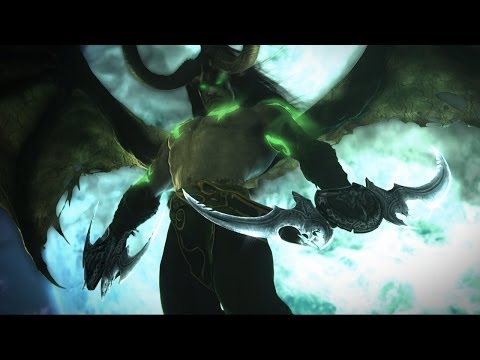
Illidan's words may resonate with you as computer science and game development are both difficult disciplines whose surrounding communities are laced with high expectations and elitism. (Materials for Godot are under development.)
Below are resources that can cut through assumptions and feeling though self-examination.
Introductory practice exercises for C# and game systems (you can run these in Unity, .Net, or MonoDevelop):
1. Final Fantasy VI Combat System
2. Crystal Warriors
3. Fantasy Fight
Unity and C# Practice Exam for New Programmers
Below is a set of training tutorials for this course. To learn the basics of Godot, you should spend between 5 and 10 hours on these tutorials, depending on your experience level, to prepare for the first exercise.
Here is the Godot Tutorials for Gameplay Programming playlist.
You should be comfortable with the following to begin the first exercise:
- How to create a project
- How assets are stored on the filesystem.
- The basic properties of the Godot editor's interface.
- Node and scene relationships and how to use them to compose basic game elements.
- GDScript's basic syntax, data structures, and use. This includes structured types (e.g., arrays and dictionaries) classes, and importing libraries.
- Godot's built-in functions (e.g.,
_processand_ready). - The ability to add and alter input signals.
- Simple animation and motion.
- Git and GitHub. While these systems are expected of you coming into the class, you can find some tutorials later in the syllabus.
Godot Engine Documentation
Godot Gettings Started Tutorials
- Editor Introduction
- Troubleshooting the Editor
- Nodes and Scenes
- Instances
- GDScript reference
- Best Practices
- 2D Capabilities
- 3D Capabilities
- Animation Tools
- Asset Pipeline
Vanhove, Sander. Learning GDScript by Developing a Game with Godot 4: A Fun Introduction to Programming in GDScript 2. 0 and Game Development Using the Godot Engine. 1st ed. Birmingham: Packt Publishing, Limited, 2024. Print.
https://search.library.ucdavis.edu/permalink/01UCD_INST/1hjlc2p/cdi_proquest_ebookcentral_EBC31290475
Entry-level text to basic Godot constructs and GDScript.
Bradfield, Chris. Godot 4 Game Development Projects : Build Five Cross-Platform 2D and 3D Games Using One of the Most Powerful Open Source Game Engines. Second edition. Birmingham, England: Packt Publishing Ltd, 2023. Print.
https://search.library.ucdavis.edu/permalink/01UCD_INST/9fle3i/alma9920761168606531
Entry-level text to basic Godot constructs and GDScript.
Wang, Wally, and Tonnetta Walcott. Programming for Game Design : A Hands-On Guide with Godot. 1st ed. 2024. Berkeley, CA: Apress, 2024. Web.
https://search.library.ucdavis.edu/permalink/01UCD_INST/9fle3i/alma9920512123506531
Entry-level text focusing on programming and GDScript suitable for those with a programming background in another language.
Bradfield, Chris. Godot 4 Game Development Projects : Build Five Cross-Platform 2D and 3D Games Using One of the Most Powerful Open Source Game Engines. Second edition. Birmingham, England: Packt Publishing Ltd, 2023. Print.
https://search.library.ucdavis.edu/permalink/01UCD_INST/9fle3i/alma9919503225306531
Series of small game projects.
Johnson, Jeff. Godot 4 Game Development Cookbook : Over 50 Solid Recipes for Building High-Quality 2D and 3D Games with Improved Performance. 1st ed. Birmingham, England: Packt Publishing Ltd., 2023. Print.
https://search.library.ucdavis.edu/permalink/01UCD_INST/9fle3i/alma9919344194606531
More advanced topics like shaders and multiplayer.
Campos, Henrique. ESSENTIAL GUIDE TO CREATING MULTIPLAYER GAMES WITH GODOT 4.0 : Harness the Power of Godot Engine’s GDScript Network API to Connect Players in Multiplayer Games. 1st edition. Birmingham, UK: Packt Publishing Ltd., 2024. Print.
https://search.library.ucdavis.edu/permalink/01UCD_INST/9fle3i/alma9920561598006531
A more advanced text for learning Godot's networking libraries.
Pitt, Christopher. Procedural Generation in Godot : Learn to Generate Enjoyable Content for Your Games. Berkeley, CA: Apress, 2023. Print.
https://search.library.ucdavis.edu/permalink/01UCD_INST/9fle3i/alma9918897363706531
A collection of entry-level PCG techniques mixed with reconstructions of existing games.
- Fallout: A Postmortem by Timothy Cain
- Postmortem: Ion Storm's Deus Ex by Warren Spector
- How Long Does It Take to Make an Indie Game? by Joseph Mirabello
- The "Core" of a Game by Brenda Romero
- A Feature Set from a “Core” by Brenda Romero
- Creating a Game Design Document by Brenda Romero
- One Page Designs by Stone Librande
- A GDD Template for the Indie Developer by Jason Bakker
- Effectively Organize Your Game's Development With a Game Design Document by Gamux
- Jan Willem Nijman - Vlambeer - "The art of screenshake" by Jan Wellem Jijman (Valmbeer)
- Juice it or lose it by Martin Jonasson and Petri Purho
- The four phases of game development by Pascal Bestebroer
- pp. 39-56 of Game Development and Production by Erik Bethke [free preview]
- Scrum: A Breathtakingly Brief and Agile Introduction by Agile Learning Labs
- Try Git: Code School by GitHub
- Agile Lessons from Ryse and Crysis 3 by Patrick Payne
- git - the simple guide by Roger Dudler
- GitHub for Noobs (1/4) – A Short History by Travis Neilson
- GitHub for Noobs (2/4) - Common Workflows by Travis Neilson
- GitHub for Noobs (3/4) Using the GitHub Desktop App by Travis Neilson
- GitHub for Noobs (4/4) Using the Command Line by Travis Neilson
- The Interface is Part of Gameplay by Brenda Romero
The UC Davis Code of Academic Conduct (http://sja.ucdavis.edu/files/cac.pdf) will be strictly enforced in this class. In particular, plagiarism, academic dishonesty, and cheating will be dealt with severely. Any breach of the Code of Academic Conduct can result in failing the assignment, failing the course, and disciplinary action via the Office of Student Support and Judicial Affairs (http://sja.ucdavis.edu/).
In general, the use of laptops and technology is encouraged in this course as long as they are not disruptive to the rest of the class. If you choose to use a device with a screen, please sit in the back of the room to avoid distracting your fellow students. You must ask for permission before making a video or audio recording in the classroom. In general, students will be treated as adults capable of managing their technological lives while being respectful of others in the classroom.
Students are not permitted to make visual or audio recordings, including live streaming, of classroom lectures or any class-related content using any recording device (e.g., smartphone, computer, digital recorder, etc.) unless prior permission from the instructor is obtained and there are no objections from any of the students in the class. If permission is granted, personal use and sharing of recordings and any electronic copies of course materials (e.g., PowerPoints, formulas, lecture notes and any classroom discussions online or otherwise) is limited to the personal use of students registered in the course and for educational purposes only, even after the end of the course.
To supplement the classroom experience, lectures may be audio or video recorded by faculty and made available to students registered for this class. Faculty may record classroom lectures or discussions for pedagogical use, future student reference, or to meet the accommodation needs of students with a documented disability. These recordings are limited to personal use and may not be distributed (file share), sold, or posted on social media outlets without the written permission of the faculty.
Unauthorized downloading, file sharing, distribution of any part of a recorded lecture or course materials. or using information for purposes other than the student's learning is prohibited unless the instructor gives prior authorization.