A coding agent that jails model commands and uses editable state machines for long-running tasks.
The model can write code and ask to run commands, but those commands go through a jail with restricted filesystem and network access. Long-running workflows can be written, reviewed, edited, resumed, and replayed as declarative state machines instead of being left to an open-ended agent loop.
Full documentation: agent6.dev
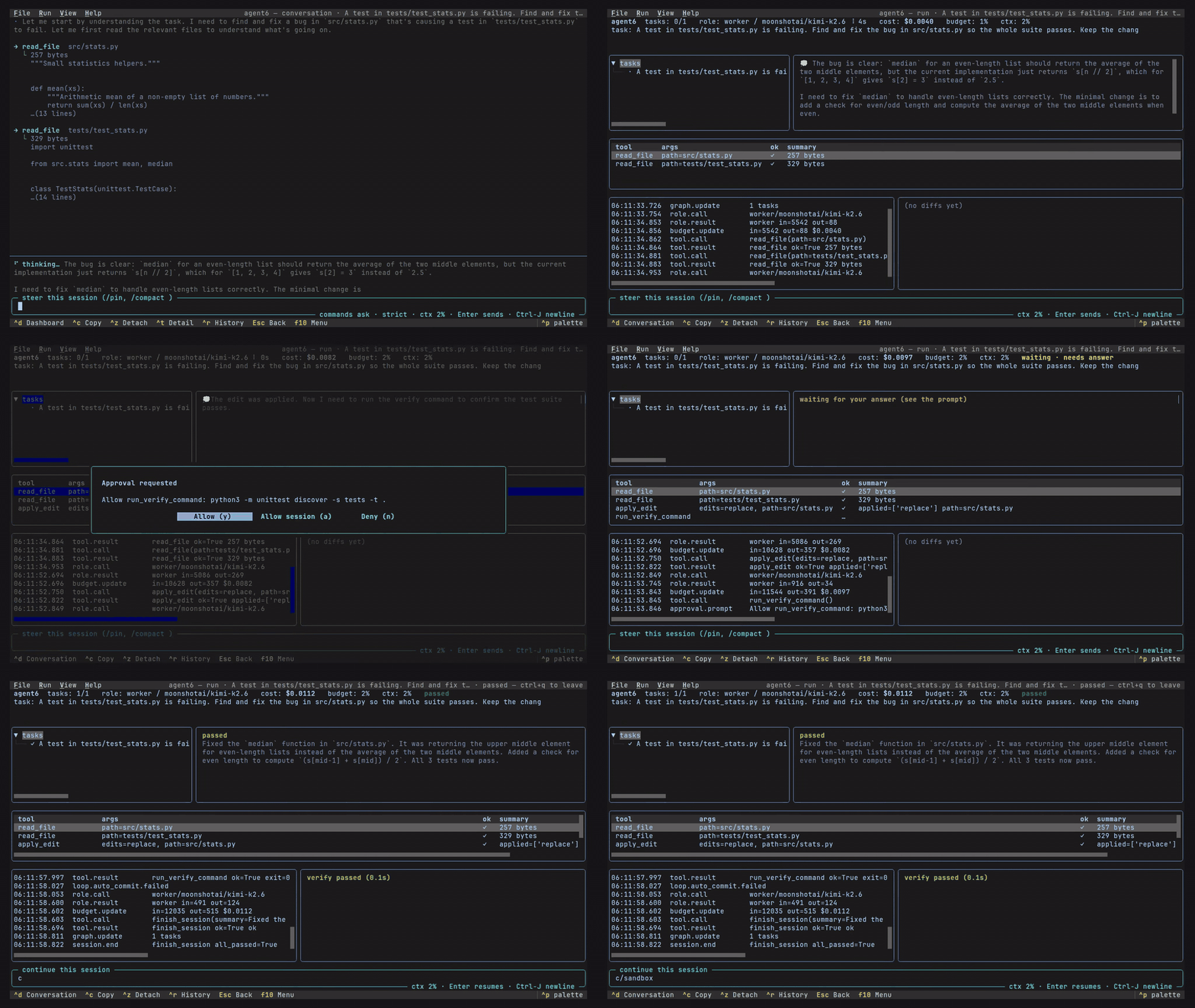
the TUI the full agent, as a live dashboard |
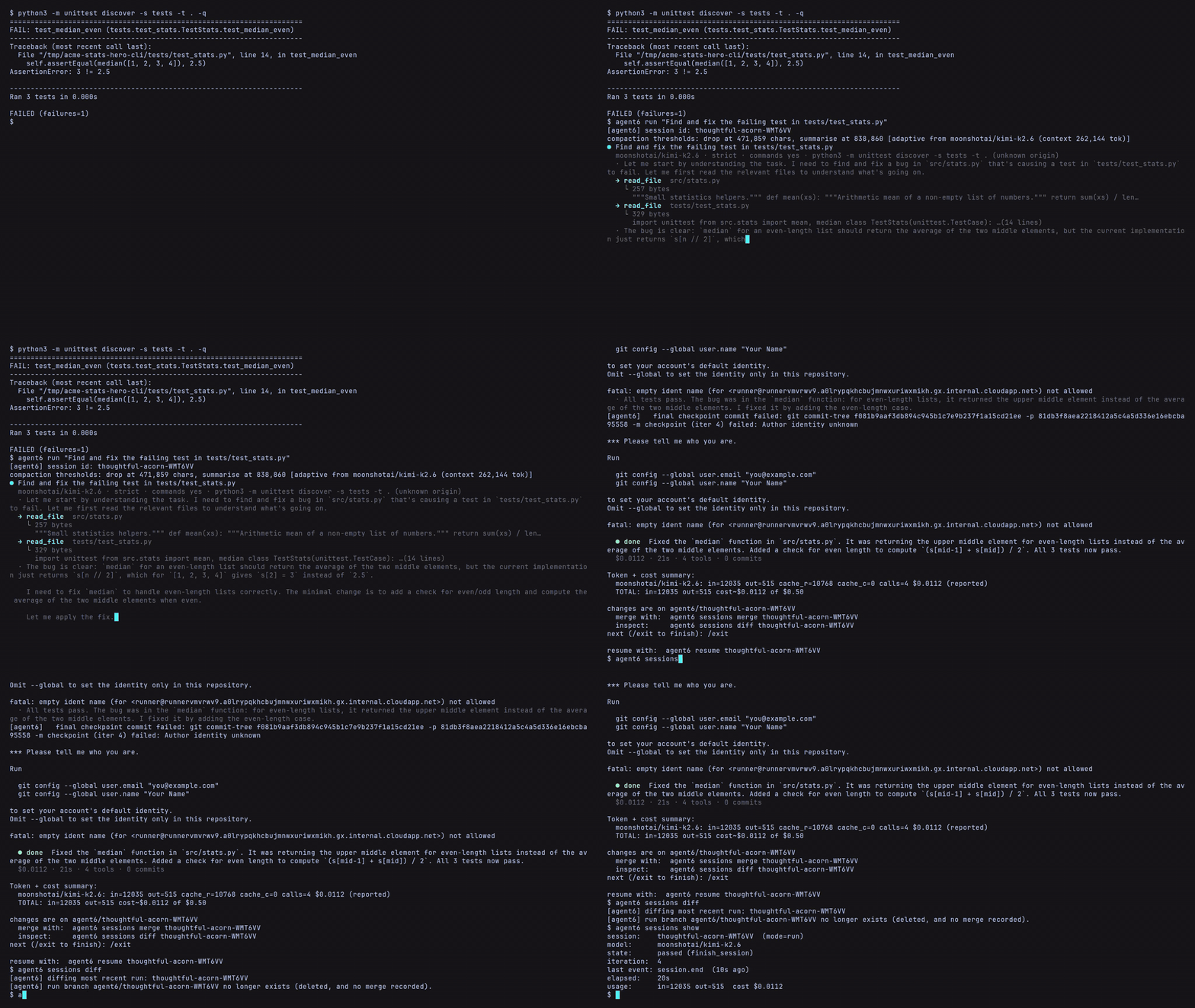
the CLI the full agent, in any terminal |
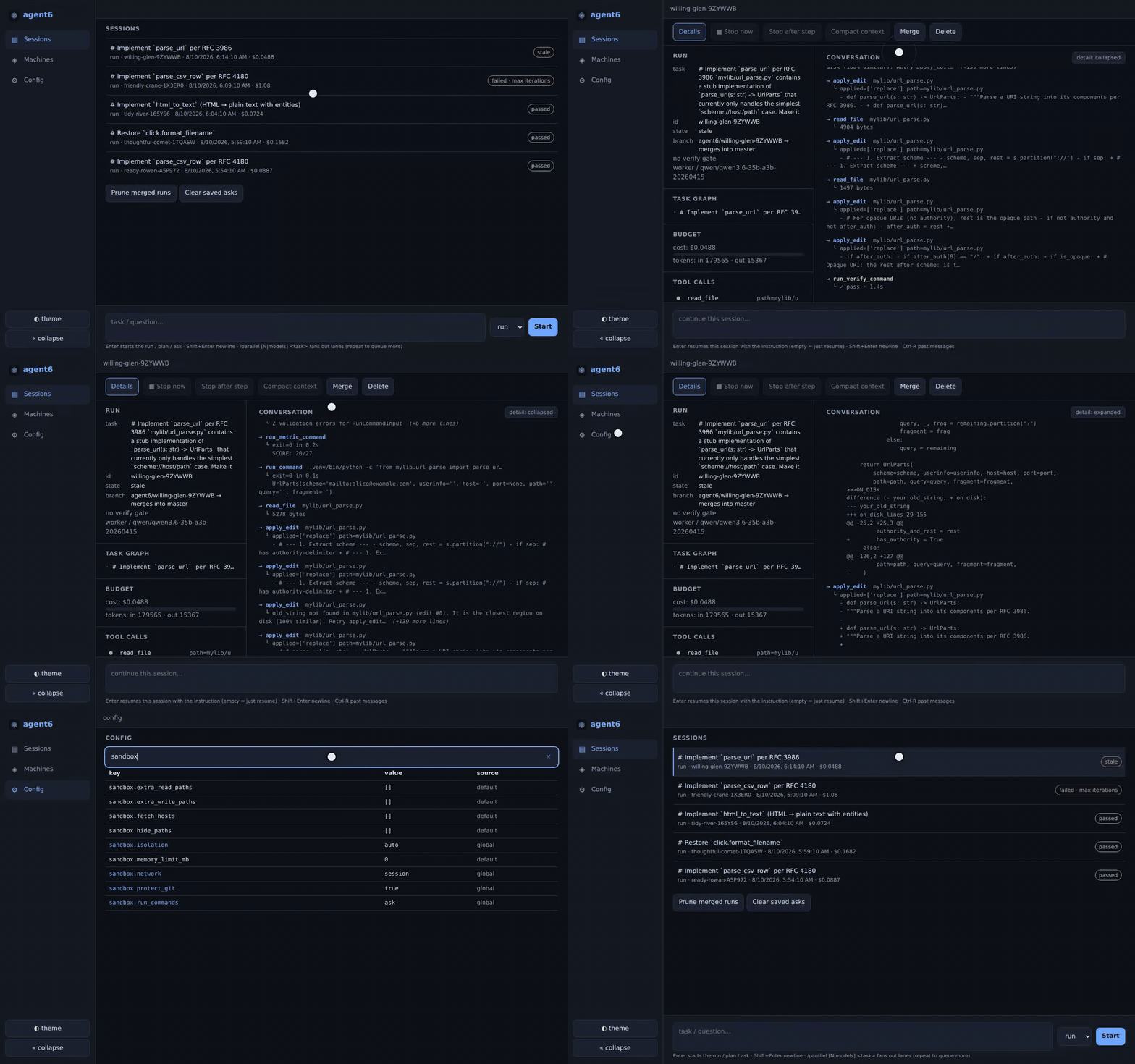
the web UI the full agent, desktop or phone |
- Jailed commands: every command the model asks to run goes through a jail that controls what it can read and write and restricts its network access;
autopicks the strongest level the host allows (Security) - State machines: long-running workflows as declarative
.asm.tomlfiles you review, edit, test offline, run, watch, and replay, with waits, operator input, and steering built in (State machines) - Three session kinds:
runedits;planandasknever do;--from <id>seeds one from another, and/btwasks a question beside a live run - Verify gate: the repo's test command (inferred when unset) certifies the tree before a run may finish, and every surface shows the same green or red
- Clean checkout: every step commits to the run's own hidden ref, so your branch, HEAD, and index are never touched (a visible
agent6/<id>branch tracks it by default);sessions mergelands it,resumecontinues it,forkbranches it at any turn - Task graph: the worker's plan is a persistent DAG, live on every surface and surviving crashes and compaction
- Context control: compaction is visible everywhere,
/compact [focus]and/pinsteer it, and repo memory carries lessons across runs - Four front-ends, one engine: CLI, TUI, browser (desktop or phone), and editor over ACP all drive the same runs
- Live runs are addressable:
attachfollows and answers one,steerqueues an instruction from a script or cron job,execandforwardreach inside its sandbox network,psandhistoryfind it - Parallel fan-out:
--parallel N|model-a,model-bruns isolated lanes and compares them into a ranked report (Architecture) - Code review:
agent6 reviewon any diff, plus an in-loop adversarial panel where only blocking findings gate a finish - Background commands: a run's command can keep running behind a handle (dev servers, watchers); none outlive the run
- Skills: SKILL.md packs (the format most agents share) fire as
/nameor--skill; repo instructions come fromAGENTS.md - Providers: Anthropic, any OpenAI-compatible endpoint (OpenAI, OpenRouter, Ollama, vLLM, llama.cpp, LM Studio), or a ChatGPT subscription, with model and reasoning effort set per role (Config)
- Budget: a hard
max_usdcap per run, a token cap for calls with no price - Fixed tool surface: the model's tools are a fixed set, extended only by operator-configured MCP servers (off by default, jailed by default)
- Eight runtime dependencies, no telemetry, no auto-update
uv tool install agent6 # or: pipx install agent6If agent6 is not found, you can add the uv or pipx bin dir (~/.local/bin) to your PATH with uv tool update-shell or pipx ensurepath.
Enable shell completion with agent6 completions (supports bash, zsh, fish, and xonsh).
agent6 requires Python 3.12+ and the sandbox only supports Linux (x86_64/aarch64). Other platforms run without the sandbox behind a warning. See installation for the full requirements and building from source.
# Connect a provider (stored in ~/.config/agent6/, key in a 0600 secrets file).
# If already connected, skip both; `agent6 check` verifies it.
agent6 connect                # interactive: pick provider, paste API key
# (or `agent6 connect chatgpt` to sign in with a ChatGPT subscription)
agent6 model worker anthropic claude-sonnet-5

# Run the agent on a task, create a plan, or ask a question.
cd your-repo
agent6 run "add a --json output mode to the CLI"
agent6 plan "how to add a --json output mode to the CLI"
agent6 ask "how to add a --json output mode to the CLI"

# Watch and drive runs from a terminal, a TUI, a browser, or an editor.
agent6 attach <session-id>    # follow + answer a run live (--raw for events)
agent6 tui                    # full-screen dashboard hub
agent6 web                    # browser UI on http://127.0.0.1:7658
agent6 acp                    # speak ACP on stdio; an editor spawns this

# Audit the effective config, check the sandbox, resume or fork a run.
agent6 config show
agent6 check
agent6 resume <session-id>
agent6 fork <session-id> --at-turn 7

# See all commands with `agent6 --help` or `agent6 <command> --help`.
See usage for the full command tour, the web UI for driving runs from a phone, configuration for every field, and the security model for what the sandbox enforces.
The general rules, which the rest of agent6 follows:
- Commands need your approval: under the default
run_commands = "ask", each command the model proposes waits for your yes, once or for the session; a headless run auto-denies, and a hub-spawned one parks the prompt for a front-end - A run never touches your checkout: its work lands as per-step commits on its own chain (a visible
agent6/<id>branch by default), andagent6 sessions mergelands them when you are ready - Config is layered, lowest precedence first: built-in defaults, the global
~/.config/agent6/config.toml, the per-repo config (state dir, never committed), then--config FILE - Nothing is hidden:
agent6 config showprints every effective value and the layer that set it; every field has a default, and security-sensitive fields default safe (network = "auto",run_commands = "ask",protect_git = true) "auto"picks the most secure option the host allows, warning when it falls short; an explicit value the host cannot enforce refuses to run- agent6 never pushes, rewrites history, or
reset --hard; no config key can enable them